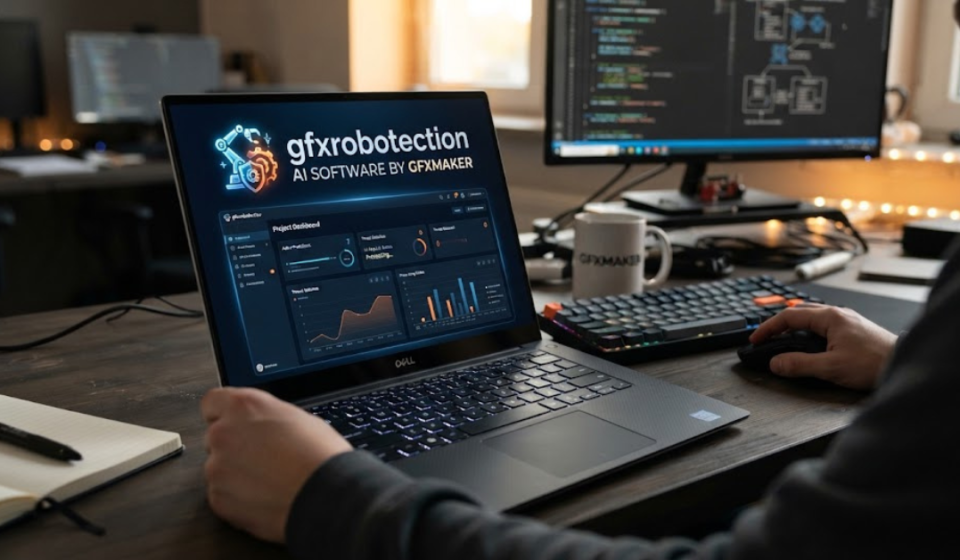

Digital artists face a strange problem today: the easier it becomes to publish your work, the easier it can become for automated systems to copy, analyze, or reuse it. That is where GFXRobotection AI software by GFXMaker enters the conversation.
GFXRobotection is described online as a combination of AI-assisted graphic design, digital asset protection, automation, and security. GFXMaker’s own material presents it as a production-oriented tool for generating graphics and managing creative assets, while other websites describe it more specifically as a system intended to protect artwork from AI scraping.
There is, however, an important distinction between what GFXMaker says the software does and what has been independently verified. Public information about downloads, pricing, technical documentation, and some of the more advanced protection claims remains limited.
So, if you’re researching GFXRobotection, this guide looks at the reported features, possible uses, AI graphic design workflow, and the questions worth asking before putting valuable creative work into the platform.
What Is GFXRobotection AI Software by GFXMaker?
GFXRobotection AI software by GFXMaker is presented as an AI-powered graphics and digital-asset platform.
GFXMaker’s recent description says GfxRoboTection can help automate image generation, enforce brand rules, and manage production-ready graphics. It also describes secure asset pipelines, audit trails, and access controls for studios and freelancers.
Other GFXMaker material places more emphasis on protecting creative work from unauthorized use. Reported capabilities include techniques such as digital fingerprints, ownership information, monitoring, and AI-related protection.
In simple terms, the product is being presented as a combination of:
- AI-assisted graphic creation
- Digital asset management
- Creative workflow automation
- Brand controls
- Artwork protection
- Security and access management
That combination is potentially useful, particularly for designers who create large numbers of graphics and need to manage both production and ownership.
But it is worth repeating: not every advertised capability has been independently demonstrated or documented in detail.
How Does GFXRobotection Work?
The reported concept behind GFXRobotection is fairly straightforward.
A designer creates or imports a graphic, applies whatever protection or processing the platform provides, and then uses the resulting asset in a normal creative workflow.
GFXMaker describes the broader system as using AI to automate routine design tasks while maintaining brand rules and controlled asset workflows.
Some third-party descriptions go further and claim that the software can modify images in ways intended to make automated AI analysis more difficult.
Those claims should be treated cautiously until there is stronger technical documentation explaining exactly how the protection works, what models it has been tested against, and how much visual or technical modification is introduced.
AI Graphic Design GFXRobotection: What Does It Offer?
The phrase AI graphic design GFXRobotection generally refers to the creative side of the platform.
Rather than treating AI only as a security mechanism, the software is described as helping users produce graphics more efficiently.
Potential applications include:
- Creating visual concepts
- Generating graphic assets
- Automating repetitive design tasks
- Applying brand rules
- Preparing production assets
- Managing creative files
- Supporting design workflows
GFXMaker describes the product as suitable for studios and freelancers that need production-ready graphics while maintaining consistent brand standards.
Why AI-assisted design can be useful
A good AI graphics workflow isn’t necessarily about replacing the designer.
It can instead reduce repetitive work.
For example, a designer might use automation to create several initial concepts, resize assets for different platforms, or maintain consistent visual rules across a large campaign. The designer can then spend more time on decisions that require taste, context, and creative judgment.
That is where an AI design tool can provide practical value.
Graphic Design Software GFXRobotection: Who Could Use It?
The reported positioning of graphic design software GFXRobotection makes it potentially relevant to several types of users.
Freelance designers
Freelancers often manage everything themselves—from creating artwork to delivering files and organizing client assets.
A tool that combines production and asset management could reduce the number of separate applications required.
Design studios
Studios handling many projects may benefit from standardized workflows.
Brand controls and access management could be particularly useful when several designers are working with the same collection of assets.
Marketing teams
Marketing departments regularly produce:
- Social media graphics
- Advertising images
- Promotional banners
- Product visuals
- Presentation graphics
- Campaign assets
Automation can reduce repetitive production work while keeping branding consistent.
Independent artists
Artists who publish their work online may be more interested in the protection side of GFXRobotection.
For these users, the important question isn’t simply whether an image can be generated. It’s whether the software can actually provide meaningful protection without reducing the quality or usability of the artwork.
What Does GFXRobotection Protect?
This is where marketing language needs to be separated from established technical facts.
GFXMaker describes GFXRobotection as a system for secure creative-asset workflows and protection. Other pages describe protection against AI scraping, unauthorized use, and digital copying.
In practice, however, no image-protection technology should be treated as an absolute guarantee against copying.
Once an image is displayed publicly, someone may be able to:
- Screenshot it
- Photograph a screen
- Download it
- Recreate elements manually
- Process it through another application
- Remove or alter metadata
A protection tool can potentially raise the technical difficulty of certain types of automated misuse, but it cannot make digital artwork completely impossible to copy.
That distinction is important for artists deciding how much they should rely on any protection system.
GFXRobotection and AI Artwork Protection
The rise of generative AI has created a genuine concern for artists: how can creative work be displayed online without making it easier for automated systems to analyze?
Some GFXRobotection descriptions focus specifically on this problem.
One GFXMaker-related article describes the software as using image-level techniques intended to interfere with AI analysis while keeping the artwork visually usable for people.
This is an interesting concept, but users should ask for evidence before assuming the technology provides comprehensive protection.
Useful questions include:
- Which AI models have been tested?
- What type of manipulation is applied?
- Is the modification visible to humans?
- Does it survive resizing and compression?
- Does it affect printing quality?
- Can the protection be removed?
- Is there independent testing?
- What happens when the image is screenshot?
Those questions matter more than a marketing claim that an image is simply “protected.”
Robotic Software GFXRobotection: What Does That Mean?
The keyword robotic software GFXRobotection appears to be used online in connection with automation, AI systems, and machine-driven processing.
The terminology can be confusing because “robotic software” can refer to several different things.
It may mean:
- Automated workflows
- AI-assisted processing
- Software bots
- Robotic process automation
- Automated asset management
- Machine-based content analysis
GFXMaker’s current description emphasizes AI automation and production workflows rather than physical robotics.
So it would be more accurate to think of GFXRobotection as AI and creative-workflow software, rather than software for controlling physical robots.
GFXMaker and GFXRobotection: What’s the Connection?
The relationship is straightforward in the public material: GFXMaker is the name associated with the software, while GFXRobotection is presented as the product or technology.
GFXMaker publishes articles describing the product’s capabilities, including AI graphics generation, asset security, brand controls, and production workflows.
However, users should distinguish between a company’s own product description and independent product validation.
A company’s website can tell you what it claims its software does. Independent testing, documentation, customer reviews, and reproducible demonstrations help establish whether those claims hold up in practice.
Is GFXRobotection Legit?
This is probably the most important question for someone considering the software.
There are real websites publishing information under the GFXMaker and GFXRobotection names, so the online presence itself is not imaginary. GFXMaker also currently publishes detailed product material describing GfxRoboTection.
The bigger issue is independent verification.
A recent independent review found that the product’s software download, pricing, technical documentation, and some of its major protection claims could not be independently verified.
That doesn’t prove the software is fraudulent or unsafe.
It means prospective users should avoid treating promotional descriptions as independently established facts.
What Should You Verify Before Using GFXRobotection?
If you’re considering uploading valuable client work or original artwork, take a few minutes to investigate the platform first.
1. Verify the official software source
Make sure you’re using the actual GFXMaker source rather than a third-party download page.
2. Check how files are handled
Find out:
- Where uploaded images are stored
- Whether files are encrypted
- How long files are retained
- Whether files are used for AI training
- Whether you can permanently delete assets
- Who can access project files
3. Understand the license
Read the terms governing ownership and usage of generated and uploaded content.
4. Test with non-sensitive artwork
Don’t begin with your most valuable client project.
Use a low-risk sample first and evaluate the workflow.
5. Examine the output
Compare the original and processed image.
Check:
- Resolution
- Color accuracy
- Fine details
- Transparency
- Metadata
- Compression
- Print quality
6. Test the workflow
Make sure the software actually fits the applications and file formats you use.
A security feature isn’t particularly helpful if it creates problems every time you need to deliver an image.
GFXRobotection for Professional Graphic Designers
For professionals, the most important consideration isn’t the number of AI features.
It’s whether the software fits into an existing production pipeline.
A practical workflow might involve:
- Creating the original artwork.
- Saving the editable master file separately.
- Exporting a distribution copy.
- Applying any protection process.
- Reviewing the protected output.
- Delivering the final asset.
- Keeping the original safely backed up.
This approach ensures that your master artwork remains under your control even if the protection software changes, becomes unavailable, or produces an unwanted result.
Does GFXRobotection Replace Photoshop or Other Design Software?
There is no good reason to assume that it does.
Traditional creative applications and AI-powered asset tools can serve different purposes.
For example, a designer might use a conventional editor for:
- Detailed illustration
- Layer management
- Typography
- Vector editing
- Color correction
- Professional retouching
An AI-focused platform could instead assist with:
- Concept generation
- Automation
- Asset processing
- Brand consistency
- Workflow management
- Protection-related processing
The two categories can therefore complement each other.
Until GFXRobotection’s complete workflow and integrations are independently documented, it is better to think of it as a potential addition to a creative workflow, not automatically a replacement for established professional design software.
Common Problems Users Should Watch For
Even if the underlying technology works as advertised, creative software can introduce practical problems.
Watch for:
- Slow processing
- Large upload times
- Compatibility issues
- Unsupported file formats
- Unexpected image changes
- Loss of metadata
- Export-quality problems
- Cloud-storage limitations
- Workflow interruptions
For artists, even a small change in color or sharpness can matter.
That’s why testing a sample asset before processing an entire portfolio is a sensible approach.
How to Get the Best Results From GFXRobotection
If you decide to test the platform, start conservatively.
Keep original files untouched
Never overwrite your master artwork with a processed version.
Use consistent file formats
Choose formats that preserve the quality you need for your intended use.
Compare before and after
Open the protected or processed image alongside the original.
Test multiple platforms
If the image will appear on a website, social media platform, marketplace, and print material, test how the processed version behaves in each environment.
Don’t rely on one layer of protection
Combine technical measures with practical protections such as:
- Copyright registration where appropriate
- Clear licensing terms
- Watermarks for selected previews
- Low-resolution public previews
- Secure master files
- Access controls
- Client agreements
No single technical system eliminates every form of unauthorized copying.
Frequently Asked Questions
What is GFXRobotection AI software by GFXMaker?
It is described by GFXMaker as AI graphics and creative-asset software designed to automate parts of image production while supporting asset security, brand controls, and managed workflows. Independent sources note that some technical and commercial details remain difficult to verify.
What is AI graphic design GFXRobotection?
AI graphic design GFXRobotection refers to the software’s reported AI-assisted creative capabilities, including image generation, automation, and production workflows. The exact feature set should be confirmed against the current product documentation.
Is GFXRobotection graphic design software?
GFXMaker describes GFXRobotection as AI graphics software suitable for studios and freelancers. Other sources describe it as both a design platform and an artwork-protection system, so its exact scope should be verified before relying on it for professional production.
What does robotic software GFXRobotection mean?
The phrase generally appears to refer to the software’s automation and AI-driven functions rather than physical robotics. GFXMaker’s own description focuses on automated creative workflows and asset management.
Can GFXRobotection stop AI from copying artwork?
It is described online as providing protection against AI scraping or analysis, but no digital protection system should be assumed to provide absolute prevention. The effectiveness of its specific techniques should be evaluated through technical documentation and independent testing.
Is GFXRobotection safe for client artwork?
Don’t assume so without reviewing its file-handling, privacy, retention, licensing, and security policies. If those details are unclear, test the platform with non-sensitive artwork before uploading valuable client files.
Does GFXRobotection replace professional design software?
Not necessarily. It is better viewed as a potential AI-assisted design, automation, and asset-protection tool unless its documented capabilities demonstrate otherwise. Traditional applications may still be needed for detailed illustration, vector editing, typography, and professional production.
Is GFXRobotection worth trying?
It may be worth testing if its reported combination of AI graphics and asset protection matches your workflow. However, because independent verification remains limited, start with a low-risk project and evaluate the actual results before committing important artwork.
Conclusion: GFXRobotection AI Software by GFXMaker
GFXRobotection AI software by GFXMaker is an interesting example of how AI is expanding beyond image generation into creative workflow management and digital-asset protection.
GFXMaker describes the software as a production-oriented AI graphics platform with automation, brand controls, secure asset workflows, and access management. Other GFXRobotection material focuses more heavily on protecting artwork from AI scraping and unauthorized use.
The important caveat is that some of the more ambitious claims remain difficult to independently verify. That doesn’t mean the technology cannot work; it means users should test the product and examine its documentation before trusting it with valuable creative assets.
If you’re interested in AI graphic design GFXRobotection, start with a small project. Compare the output, review how your files are handled, examine the protection process, and determine whether it genuinely improves your workflow.
For professional designers, the goal shouldn’t be to chase the newest AI tool. It should be to find technology that saves time, preserves creative quality, and gives you more control over your work—not less.